QuickBooks bookkeeping quality control
A second set of eyes for every QuickBooks client.
Audit Gen is built for bookkeepers and accounting firms that manage multiple QuickBooks Online files. It automatically checks client books for issues, shows what needs attention, and takes your team back to the source record in QuickBooks.
Why Audit Gen
Bookkeeping gets harder as the client list grows.
A bookkeeper can know exactly how to fix a problem and still miss it when the same review has to be repeated across dozens of companies.
Audit Gen turns recurring quality-control work into a repeatable process: connect the books, run the checks, prioritize findings, investigate the evidence, and resolve the underlying records.
Monitor
See which client files need attention instead of opening every company one by one.
Detect
Run the same diagnostic checks consistently across your QuickBooks portfolio.
Prioritize
Use severity and potential financial exposure to decide what deserves attention first.
Investigate
See the finding, supporting details, and a direct path back to QuickBooks.
The workflow
From client file to actionable finding.
Audit Gen is designed around the way bookkeeping teams actually work: review the portfolio, find exceptions, investigate them, then make the correction in QuickBooks.
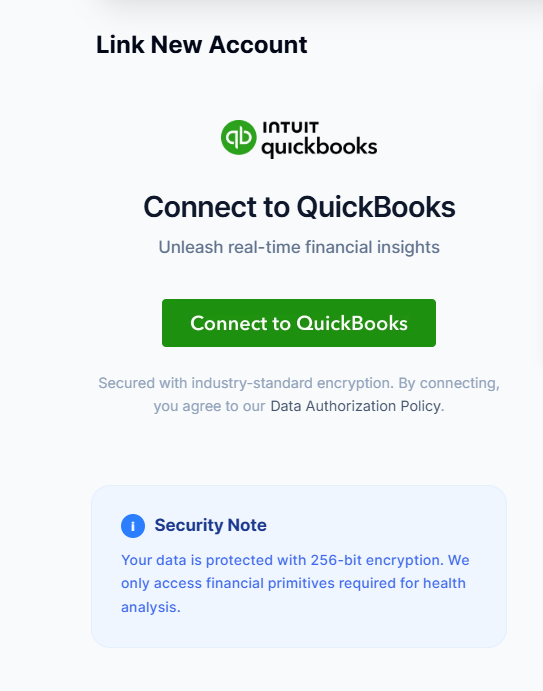
Connect the QuickBooks company you want to review.
Authorize Audit Gen through Intuit. The integration is read-only, so Audit Gen can inspect bookkeeping data without writing, editing, or deleting records in the client’s books.
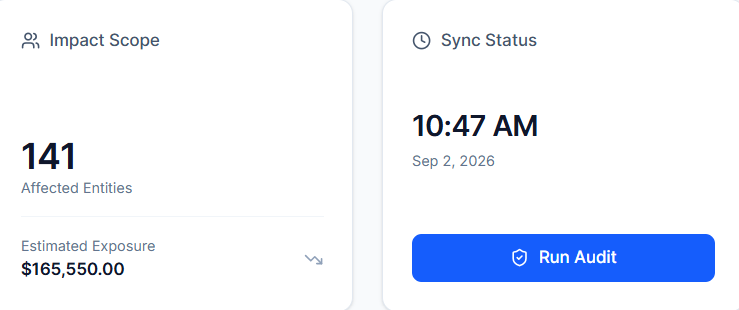
Run automated bookkeeping checks.
Audit Gen analyzes the company’s QuickBooks data against 30+ diagnostic checks across areas such as banking, receivables, payables, tax treatment, classification, and bookkeeping hygiene.
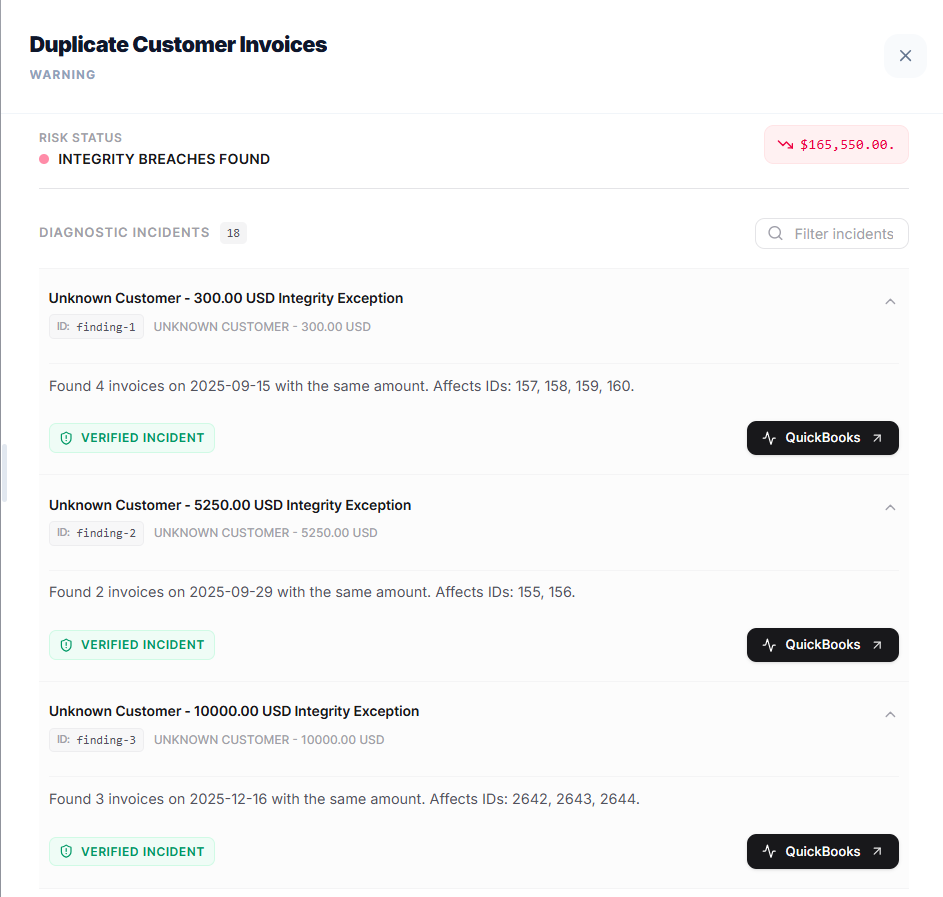
Understand what was flagged and why.
Findings are presented as reviewable exceptions rather than just a list of warnings. See the issue, severity, affected record, and potential financial exposure before deciding what to investigate.
Finding
Payment date before invoice
Potential exposure
$700
Affected record
Payment #2736
Action
Review in QBO
Jump to the source record and fix it in QuickBooks.
Audit Gen does not make the accounting decision for you. It gets your team to the relevant QuickBooks record faster so you can review it in context and make the appropriate correction.
What Audit Gen checks
One review layer. 30+ bookkeeping checks.
Audit Gen is focused on finding exceptions that can be difficult to spot when a team is reviewing many client files manually.
The diagnostic engine can be expanded over time; the goal is consistency—apply the same quality-control process to every QuickBooks company you review.
Banking
Reconciliation & bank activity
Identify unreconciled activity, unusual balances, and transactions that may need review before month-end close.
Accounts Receivable
Invoices & customer activity
Surface old unpaid invoices, duplicate invoices, sales-credit issues, and other receivables that deserve attention.
Accounts Payable
Bills & supplier activity
Find duplicate bills, old unpaid bills, purchase-credit issues, and supplier-related inconsistencies.
Tax & Coding
Tax codes & account classification
Highlight unexpected accounts, missing tax treatment, and transactions that may have been classified incorrectly.
Bookkeeping Hygiene
Data quality & integrity
Catch incomplete, inconsistent, or unusual bookkeeping patterns that can make a client file harder to trust.
Review
Evidence for follow-up
Present each flagged issue with the information your team needs to investigate it in QuickBooks Online.
Built for firms
Review a portfolio without treating every client the same.
A bookkeeping firm may have clients with different transaction volumes, industries, and levels of complexity. Audit Gen gives the team a common diagnostic framework while letting them prioritize the files and findings that need attention.
Example portfolio view. Values shown are illustrative.
Security & control
Read the books. Keep control of the books.
Audit Gen is designed as a review and diagnostic layer. Its purpose is to identify records that deserve attention—not to replace the bookkeeper or silently change accounting data.
Read-only Intuit integration
Audit Gen is designed to inspect QuickBooks data without modifying the underlying books.
Direct source-record links
Open the relevant QuickBooks record from a finding to reduce the time spent searching manually.
Human review stays central
A flagged transaction is an exception to investigate, not an automatic accounting adjustment.
For bookkeepers & accounting firms
Give every QuickBooks file the same quality-control check.
Connect a company, run the health check, review the findings, and jump back into QuickBooks to resolve what needs attention.
Read-only access · QuickBooks Online · Designed for professional bookkeeping workflows